

How to disable open and click tracking for email campaigns
Last updated August 5, 2026
Some countries require explicit consent before tracking email opens and link clicks. To help you comply with these regulations, Mailmodo provides an option that allows recipients to opt out of open and click tracking.
Once this feature is enabled for your account, you can add an opt-out link to your email campaigns. When a recipient clicks the opt-out link, they can be added to a dedicated Mailmodo list. You can then use this list to send campaigns with open and click tracking disabled for those contacts.
This feature is disabled by default. To enable this feature for your account, contact our Support team via Support Chat or at support@mailmodo.com.
How It Works
Add a message to your email campaign such as:
If you do not wish to allow us to track your email opens and clicks, you can opt out by clicking the link below.
When a recipient clicks the opt-out link, they are added to a dedicated Mailmodo list. You can then configure campaigns sent to this list with open and click tracking disabled.
Option 1: Use a Mailmodo Landing Page
You can create an opt-out page using Mailmodo's Landing Pages.
Steps:
- Go to Landing Pages in your Mailmodo account.
- Create a landing page explaining that recipients can opt out of open and click tracking. Note: Mailmodo Landing Pages are deprecated and are no longer actively maintained.
- Link the landing page form to a dedicated Mailmodo list (for example, Tracking Opt-out).
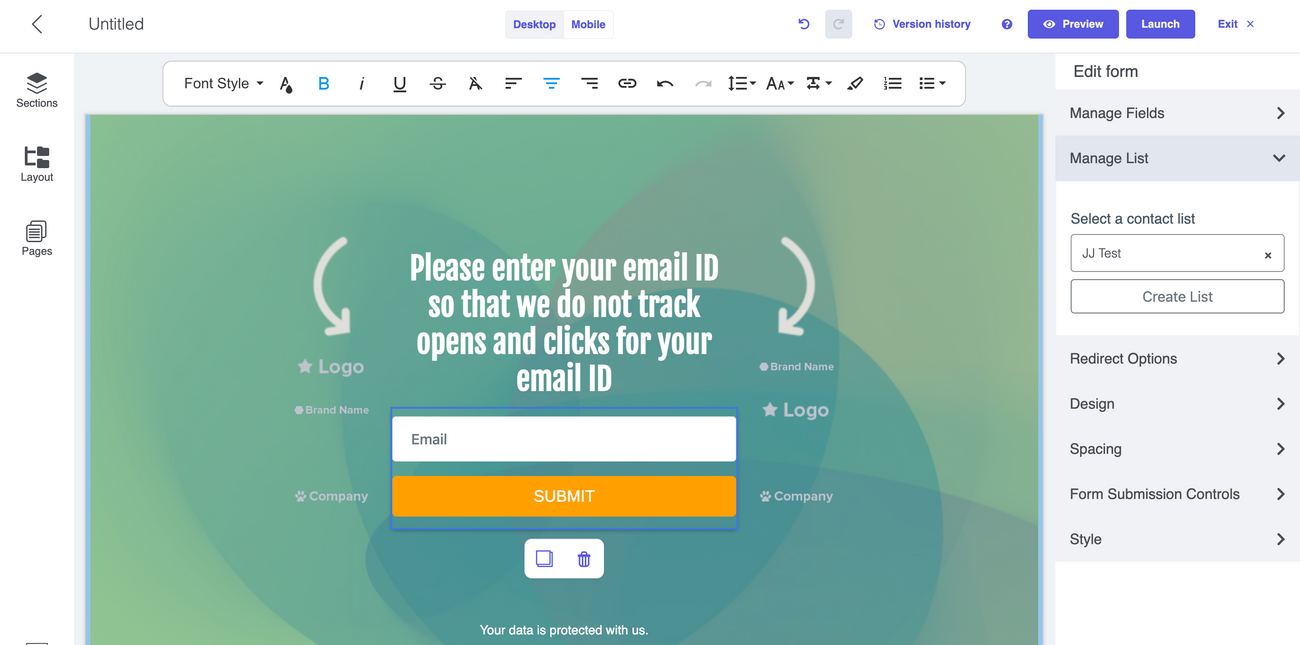
- Launch the landing page.
- Copy the landing page URL.
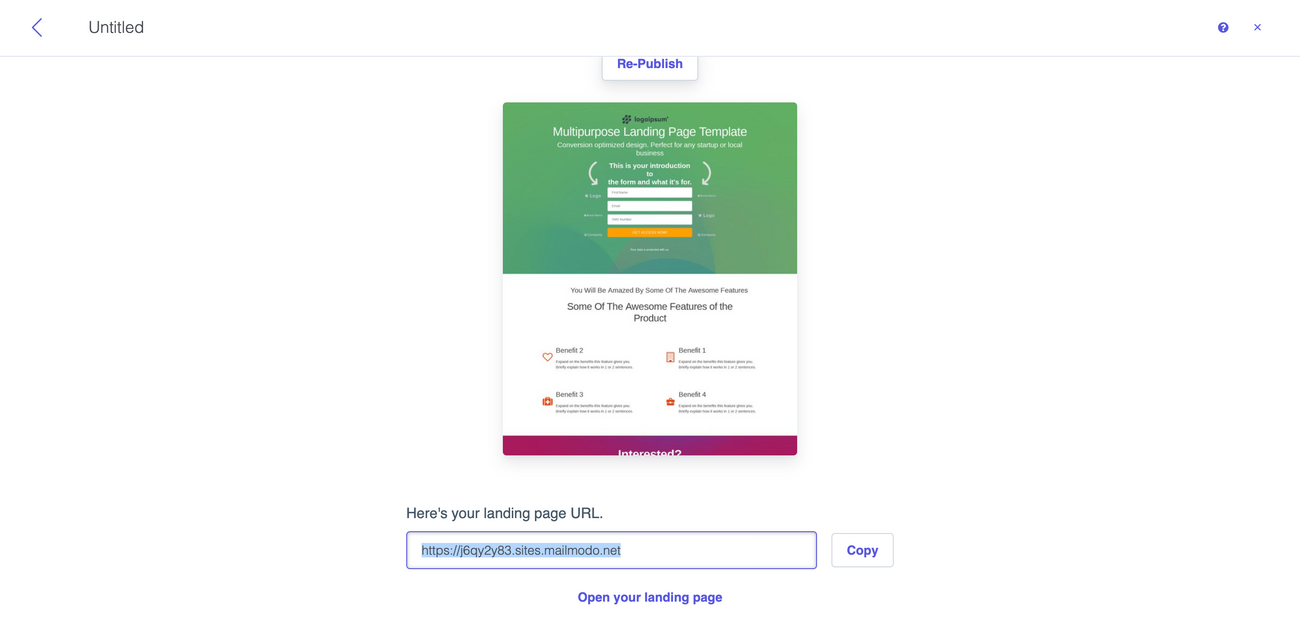
- Add the landing page URL to your email template.
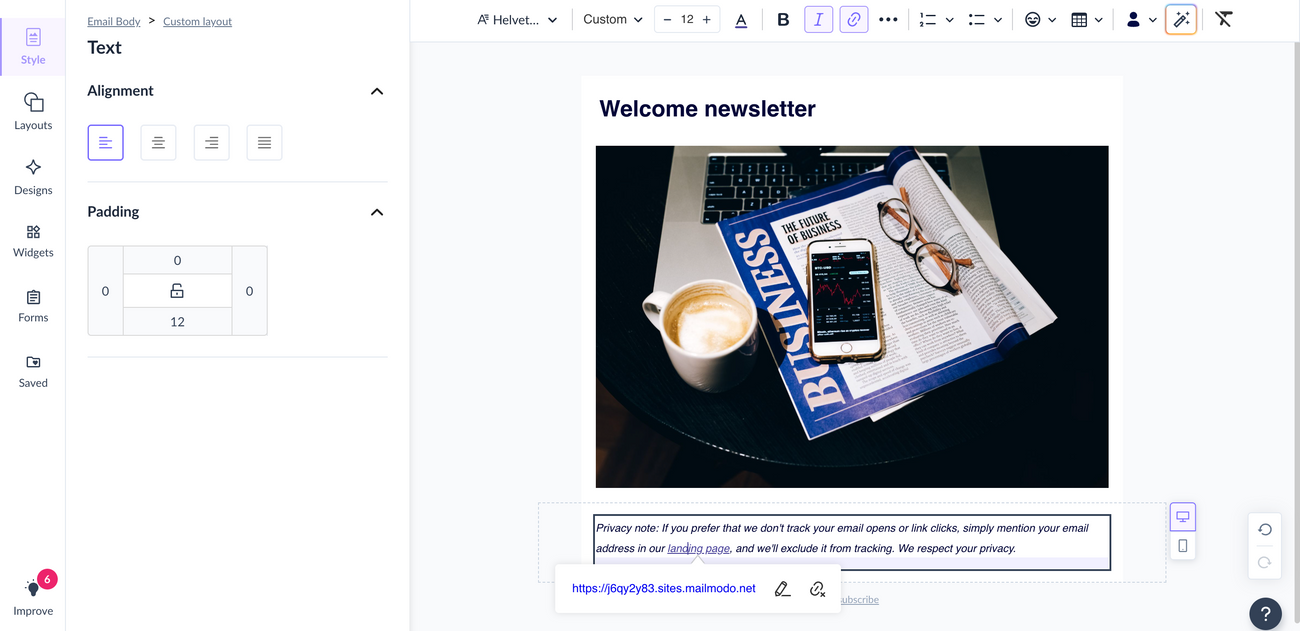
All recipients who submit the form will automatically be added to the linked Mailmodo list.
Option 2: Use Your Own Website
If you prefer to use your own website, you can create your own opt-out page.
When a recipient submits the opt-out form:
- Capture the recipient's email address.
- Use the Add Contact to a List API to add the recipient to your dedicated Mailmodo opt-out list.
- Once the contact is added to the opt-out list, you can send future campaigns with open and click tracking disabled.
Campaign Configuration
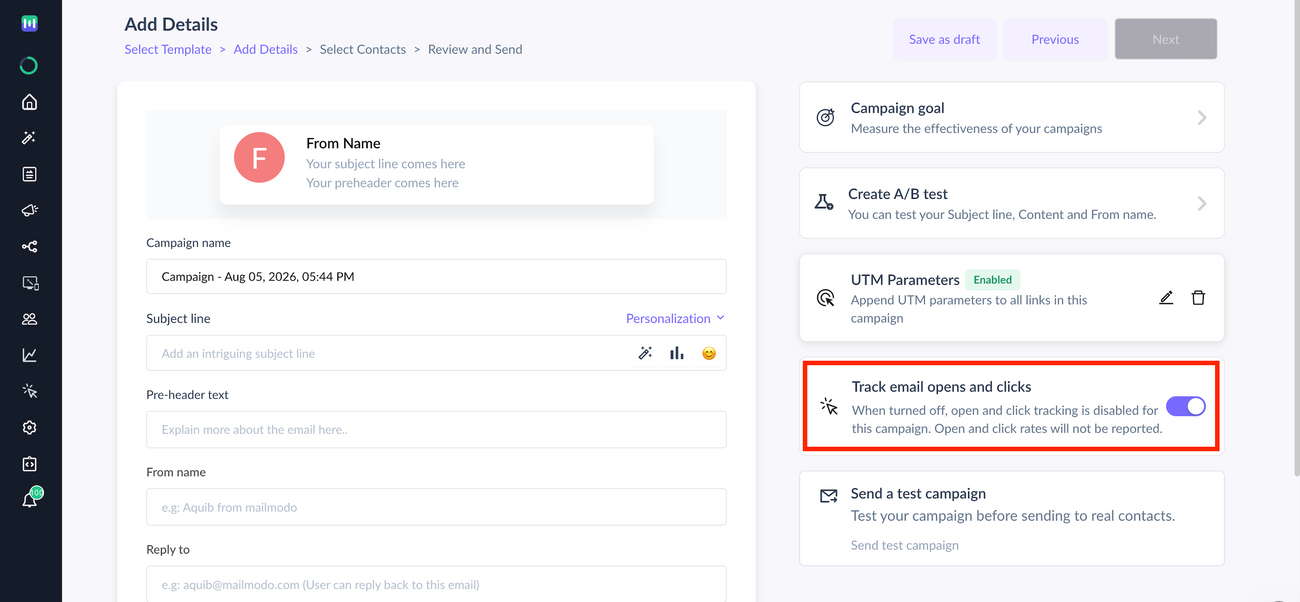
Once your opt-out list is ready, create a campaign targeting that list with open and click tracking disabled.
Limitations:
When tracking is disabled for a contact:
- Open and click tracking will not be available for these campaigns.
- Analytics that rely on open and click data will not be available for these campaigns.
- Journey goals, campaign goals, and automation steps that rely on open or click events cannot be used.
- Open and click tracking cannot be disabled for journey campaigns or bulk campaigns with A/B testing enabled.